Case Study / 01

Integrated Benefit Systems

B2B Consulting · GoHighLevel

Integrated Benefit Systems (IBS) is a business-to-business (B2B) consulting firm led by a team of experienced consultants with years of industry expertise. The company works directly with businesses and organizations, providing professional benefits and consulting solutions tailored to their specific needs.

IBS focuses on building long-term business relationships and helping organizations make informed decisions through experienced, professional guidance.
Client
Integrated Benefit Systems
Type
B2B Consulting
Platform
GoHighLevel
Work
Landing Page
Email Automation
Automation Workflow
CRM Pipeline
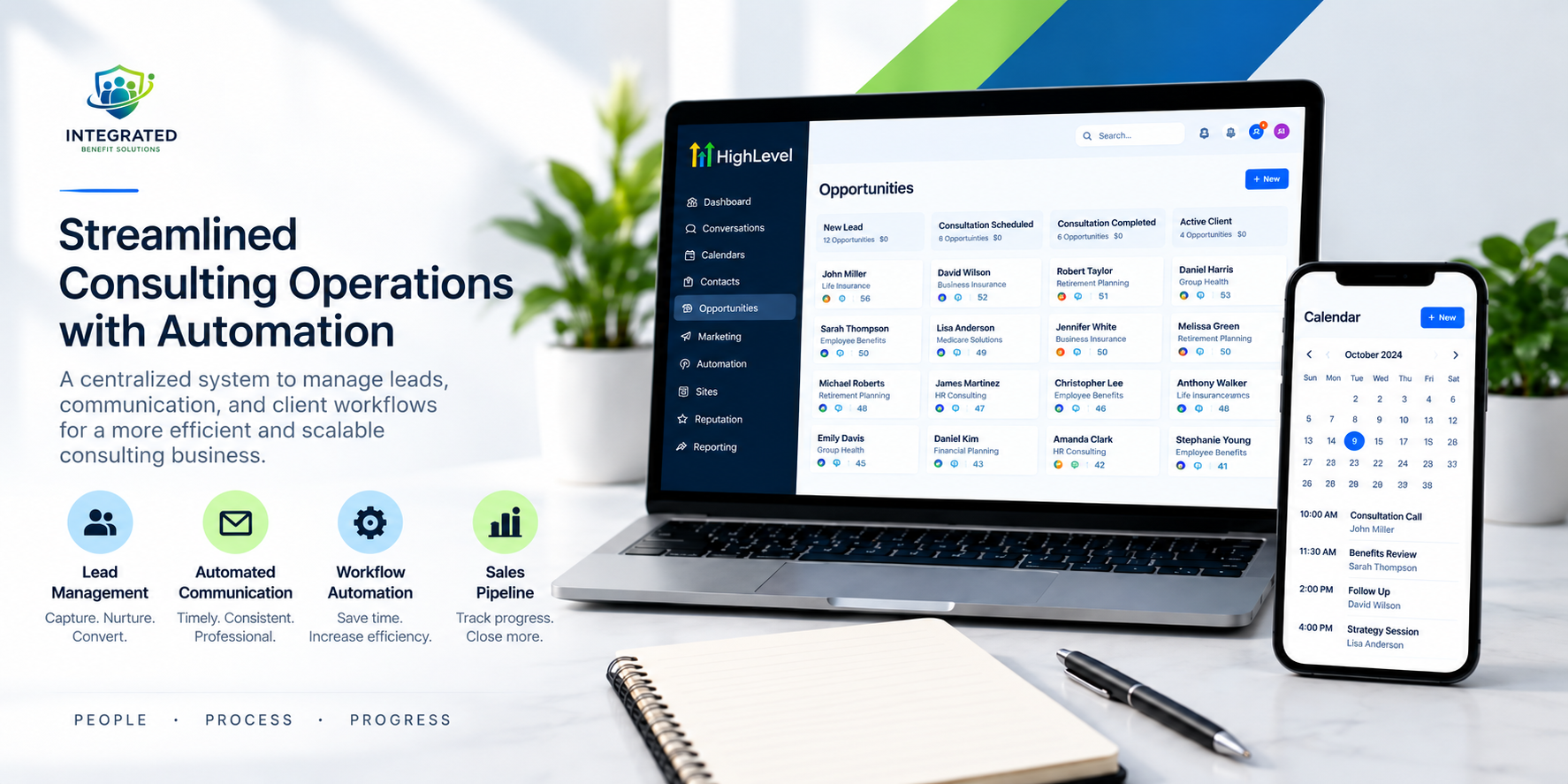
Integrated Benefit Systems consulting operations and GoHighLevel system

01 / LANDING PAGE

A cleaner path from information to action.

Challenge

Integrated Benefits is led by a group of experienced consultants with years of industry expertise. They already had an existing landing page, but wanted a cleaner, more professional, and user-friendly experience that better represented their brand and made it easier for visitors to take action.

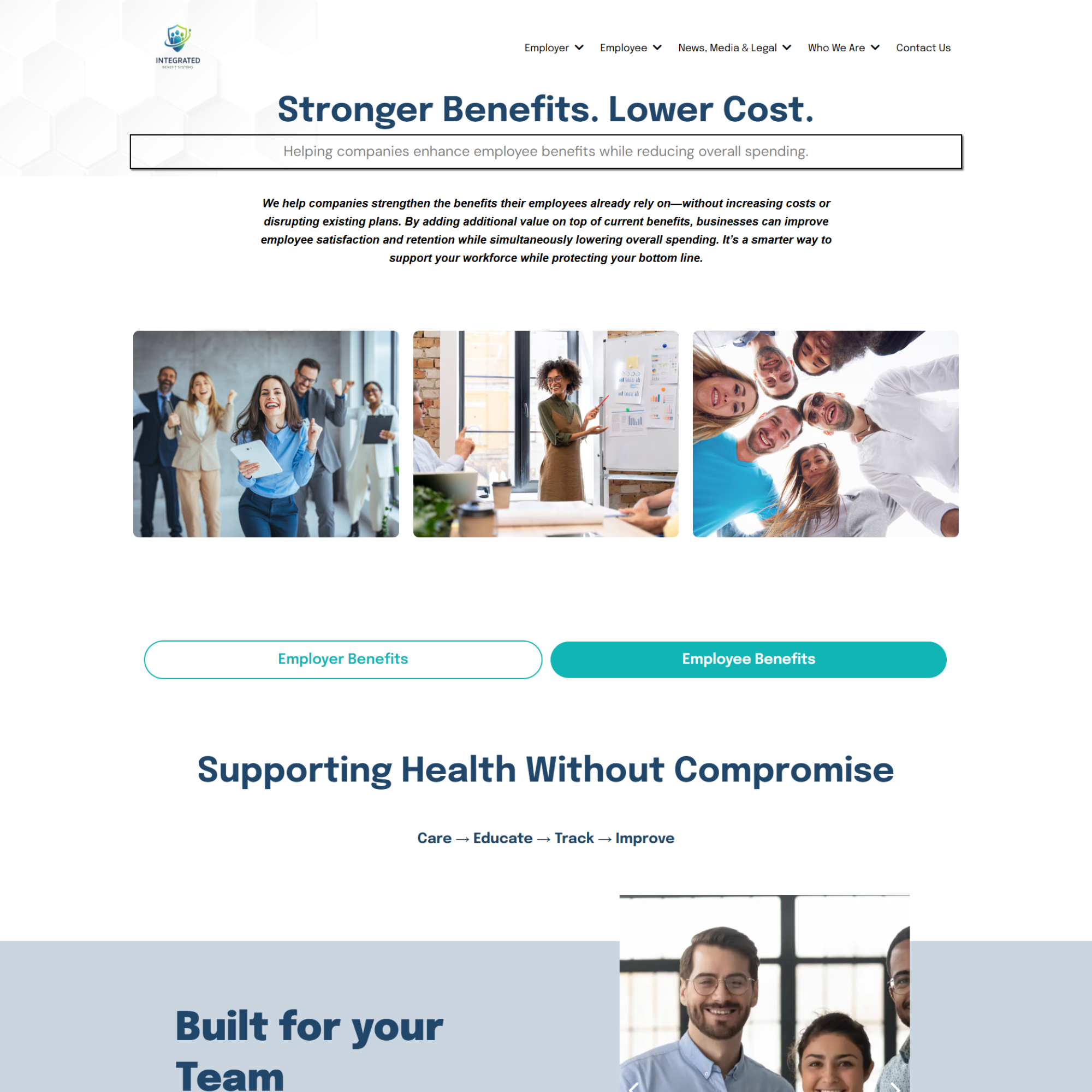
Before — Original Website

Integrated Benefit Systems landing page, website sections, and consultation page

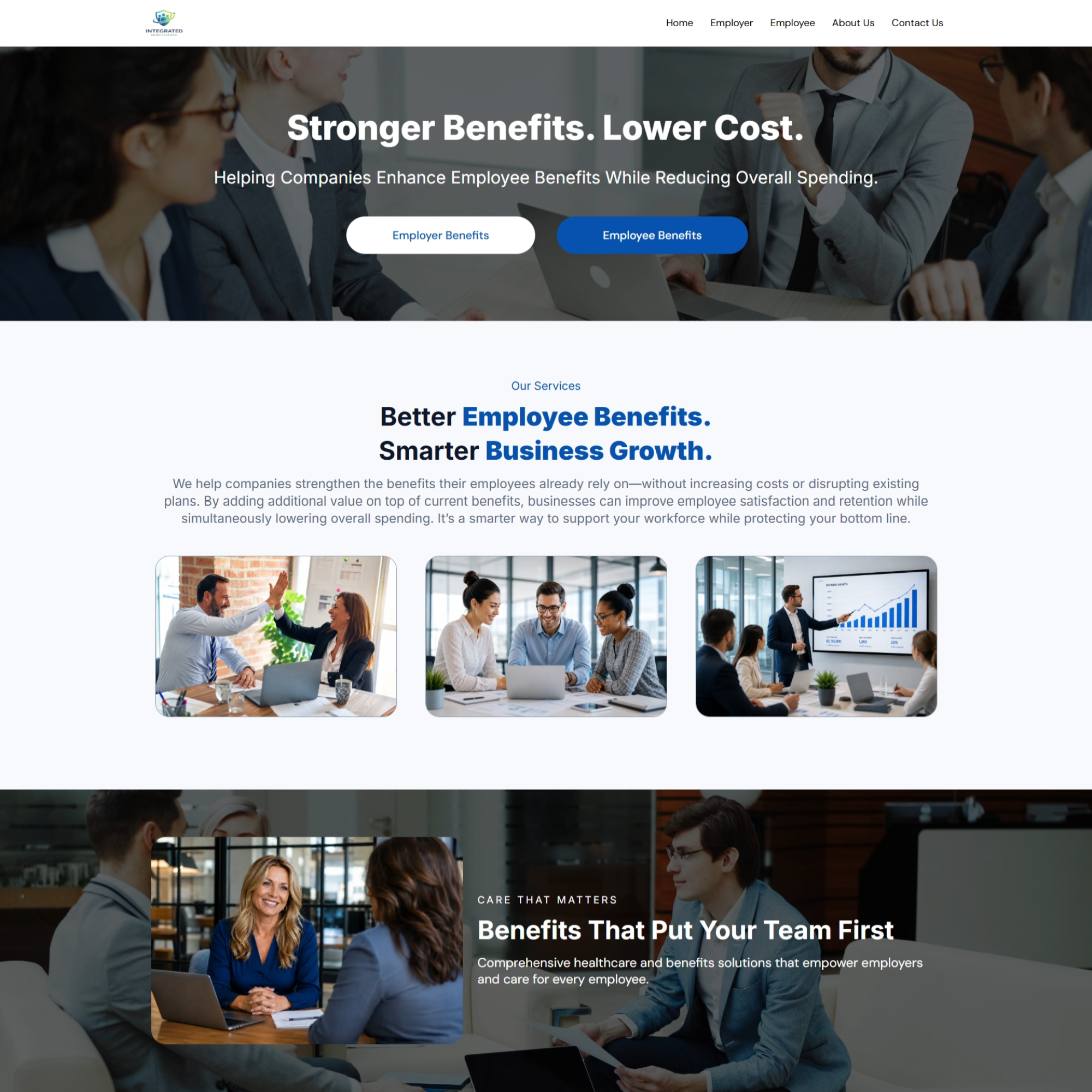
After — Website Revision

Integrated Benefit Systems benefits and employer-focused website sections
Integrated Benefit Systems team and company information pages
View Live Website

What I Built

  • Redesigned and refined the landing page directly inside GoHighLevel.
  • Improved the overall page structure, layout, spacing, and visual hierarchy.
  • Created a cleaner and more professional user experience while keeping the existing brand direction.
  • Improved navigation and made the page easier for visitors to understand and move through.
  • Connected and tested CTA buttons and links so each action directs visitors to the appropriate destination.
  • Organized the page around a clearer path from information → trust → action.

Result

The landing page became cleaner, easier to navigate, and more professional, giving visitors a clearer path toward the next step while better reflecting the experience and credibility of the Integrated Benefits team.

02 / EMAIL AUTOMATIONS

Turning cold outreach into a follow-up system.

Challenge

The team wanted to launch a cold outreach campaign to connect with potential prospects. They already had their initial email prepared, but wanted the messaging and campaign structure to be more conversion-focused while minimizing manual follow-up.
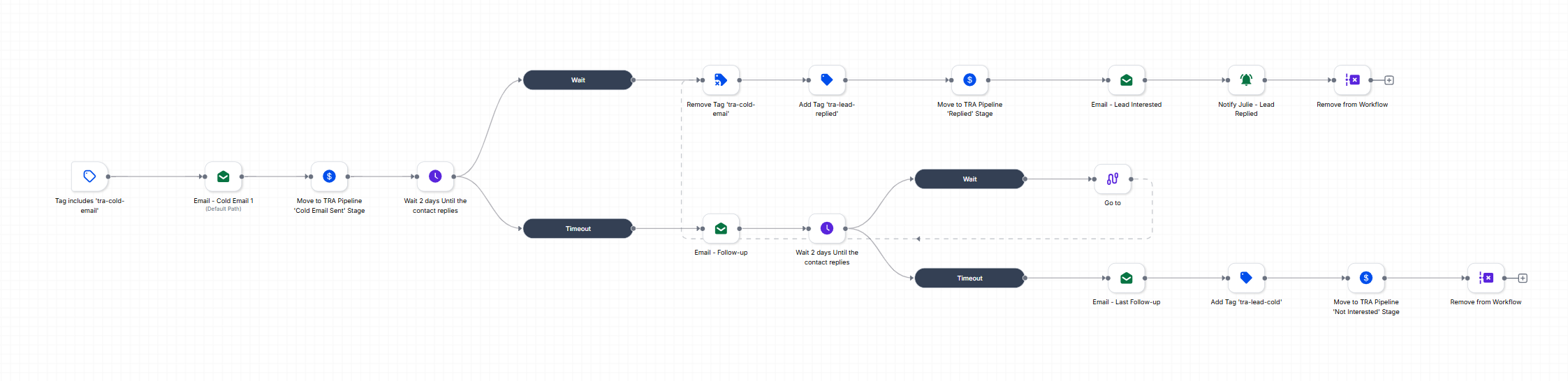
Integrated Benefit Systems email automation workflow
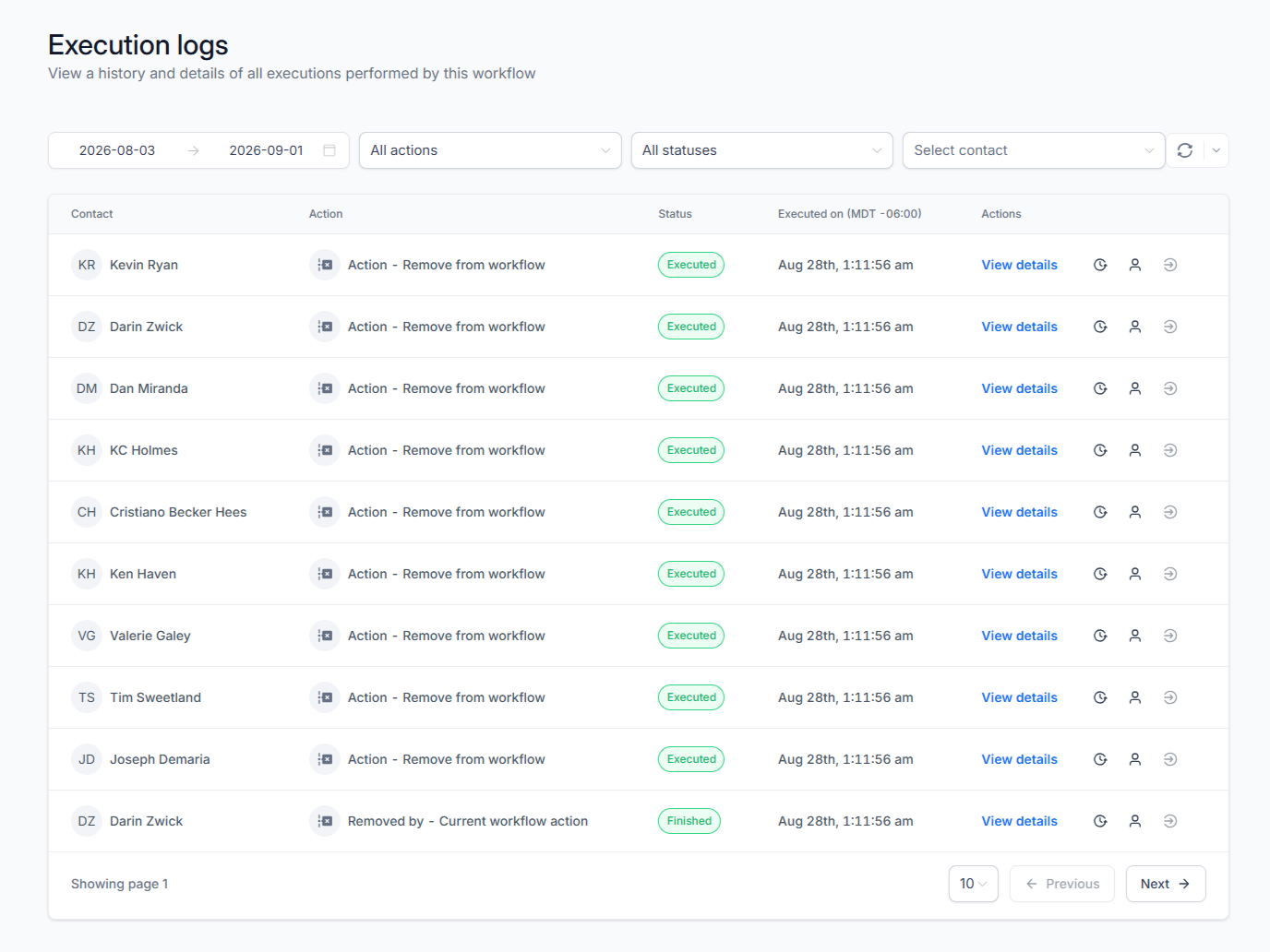
Integrated Benefit Systems email automation execution logs

What I Built

  • Refined the existing email messaging with a stronger conversion-focused structure and CTA.
  • Built an automated cold outreach campaign targeting 300+ leads simultaneously.
  • Created automated follow-up sequences to keep prospects engaged after the initial email.
  • Added a clear call-to-action designed to move interested prospects toward the next step.
  • Connected the campaign to an automated booking workflow, allowing interested leads to move directly from outreach to scheduling.
  • Structured the automation so the team could run the campaign without manually tracking every lead or follow-up.

Result

The team gained a scalable outreach system that could contact 300+ prospects at once, automatically follow up with them, and guide interested leads toward booking—turning a one-time email campaign into a structured lead-generation process.

03 / AUTOMATION WORKFLOW

From manual follow-up to automated operations.

Challenge

The team was extremely busy and had limited time to actively manage their GoHighLevel account. Important tasks such as booking, scheduling, follow-ups, and lead monitoring needed to happen consistently without requiring constant manual involvement.
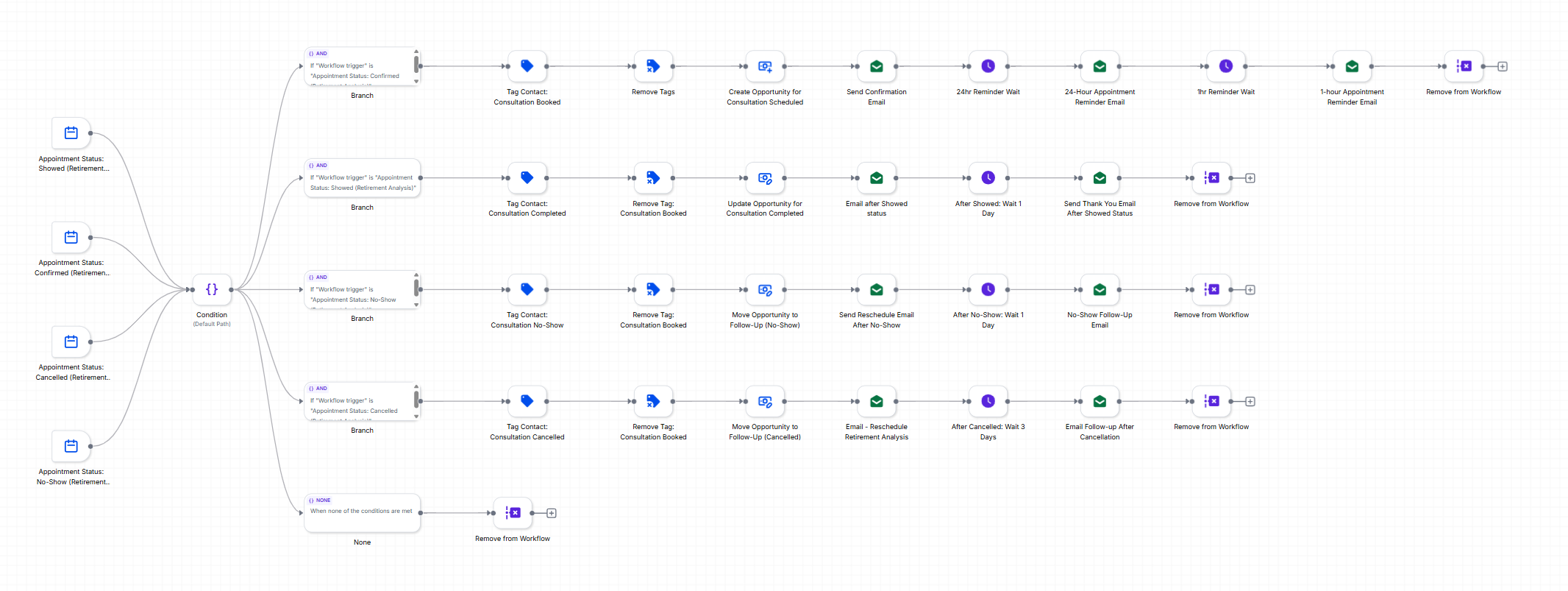
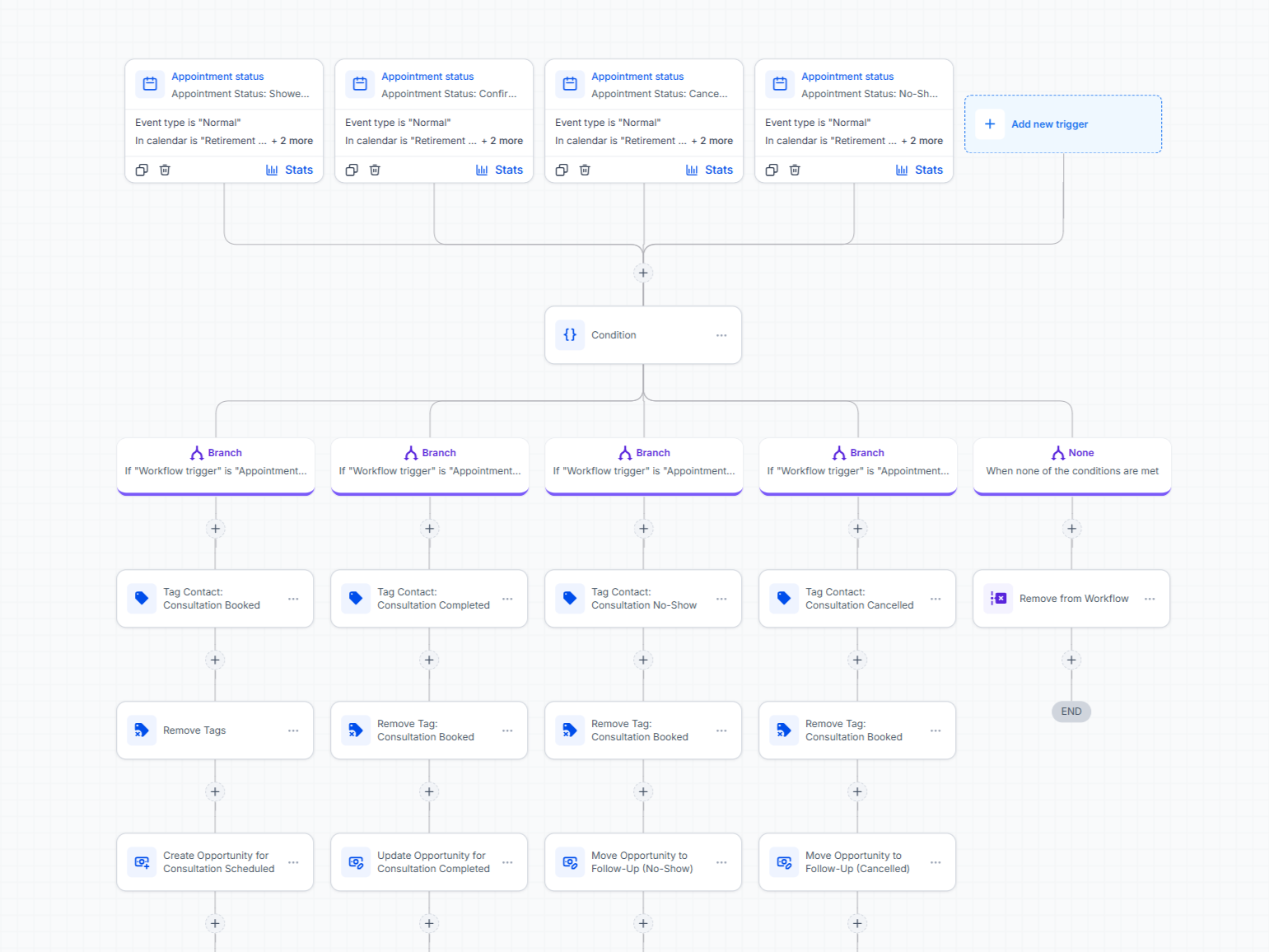
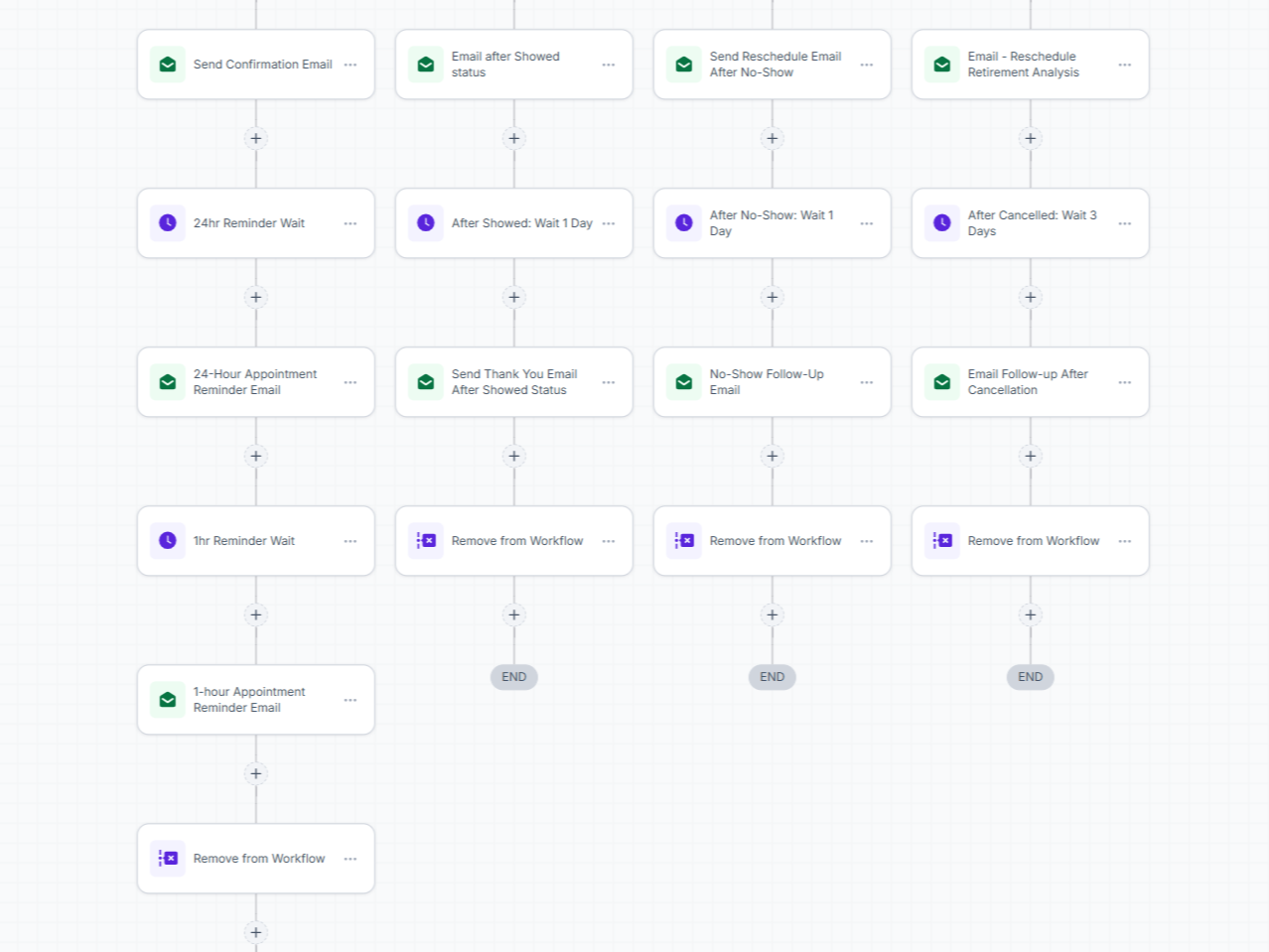
Integrated Benefit Systems appointment status automation workflow
Integrated Benefit Systems email automation workflow detail
Integrated Benefit Systems reminder automation workflow detail

What I Built

  • Designed an advanced automation workflow to handle repetitive CRM and lead-management tasks.
  • Automated the process from appointment booking and scheduling through follow-up.
  • Built automated lead follow-up sequences to keep prospects engaged without manual intervention.
  • Added internal notifications so the team is alerted when a lead shows strong interest or requires immediate attention.
  • Connected different actions and triggers so leads are automatically moved through the appropriate stages of the process.

Result

The system reduced the amount of manual CRM management required from the team while ensuring leads were followed up with consistently. The team could focus on higher-value conversations while GoHighLevel handled the repetitive work in the background.

04 / CRM PIPELINE

A clearer view of every opportunity.

Challenge

The team needed a more structured CRM pipeline to clearly understand where each lead stood in the sales process and which opportunities required immediate attention.
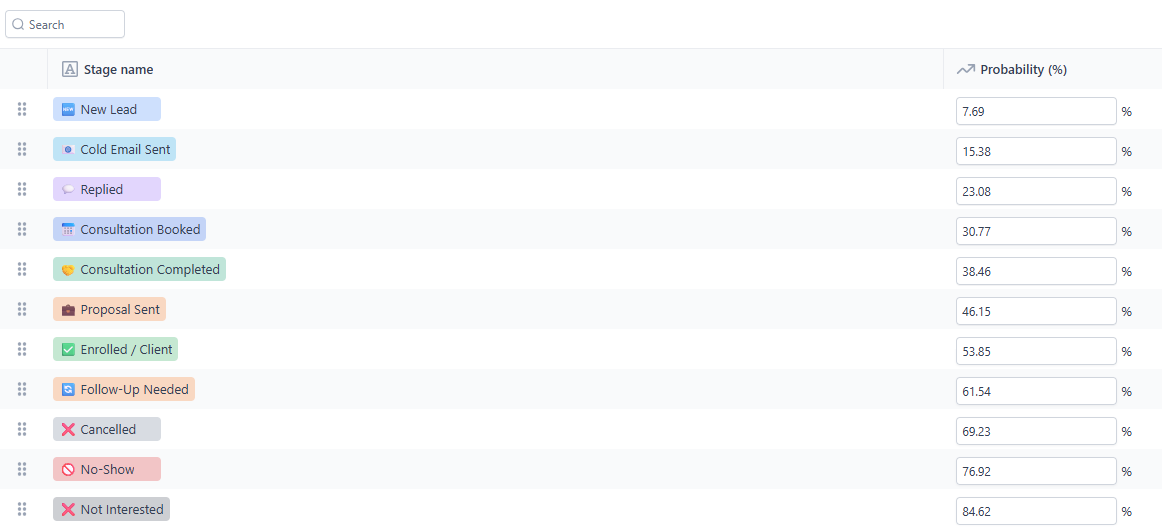
Integrated Benefit Systems CRM pipeline stages and probabilities

What I Built

  • Created a more specific, stage-based CRM pipeline to organize leads according to their current status.
  • Implemented lead-status tags to quickly identify whether a lead is Hot, Warm, Cold, Open, or Closed.
  • Added tags to highlight leads that need follow-up, require additional attention, or should be prioritized.
  • Structured the system so the team could quickly identify who to contact, when to follow up, and which opportunities should take priority.

Result

The CRM became easier to manage at a glance, giving the team a clearer picture of their pipeline and helping them focus their time on the leads most likely to move forward.

System Overview

The System I Built

01

Landing Page

  • Cleaner user experience
  • Clearer path to action

02

Email Automation

  • 300+ prospects
  • Automated follow-up
  • Automated booking workflow

03

Automation Workflow

  • Booking
  • Scheduling
  • Follow-up
  • Internal notifications

04

CRM Pipeline

  • Lead stages
  • Hot / Warm / Cold
  • Priority follow-up